
Table of Contents
The 5 Must-Have Plugins for WCAG Compliance in 2025
Accessibility isn’t just a buzzword—it’s a fundamental web standard, a crucial legal requirement, and a sign of respect for all users. With over one billion people worldwide living with some form of disability, designing for inclusion is simply smart business. As awareness and regulations grow, having an accessible website isn’t optional—it’s essential.
Why WordPress Accessibility Matters Now
Ignoring accessibility means excluding a massive portion of the population and opening yourself up to serious risks. Here is why prioritizing WordPress Accessibility is non-negotiable in 2025:
- Legal Protection: WCAG (Web Content Accessibility Guidelines) and the ADA (Americans with Disabilities Act) compliance is legally required in many jurisdictions. Non-compliance doesn’t just hurt your brand reputation; it can shield you from expensive, time-consuming lawsuits.
- Massive Audience Reach: Approximately 60% of adults in some countries have a disability that affects browsing (Elfsight, WPDeveloper). By fixing common issues, you unlock a significant new audience segment and demonstrate strong corporate responsibility.
- SEO Boost: Search engines love well-structured, clean code. Core accessibility features like semantic HTML, proper alt text, and clear navigation are all major factors in Google’s ranking algorithms. Better accessibility naturally translates into improved SEO, enhanced user trust, and a broader reach.
Best Accessibility Plugins for WordPress
While no plugin can make your site 100% compliant on its own (that requires human design and editorial effort), these tools are the foundation for achieving true WordPress Accessibility. Here are some top plugins that streamline accessibility compliance and help fill the gaps in 2025:
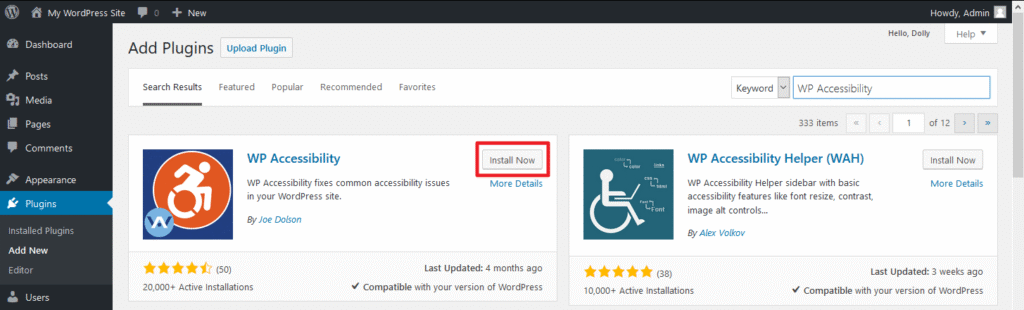
1. WP Accessibility
This is your go-to, lightweight, and free solution for tackling common issues without overhauling your site. It works silently in the background, addressing pain points like keyboard navigation, automatically adding skip links to bypass repetitive content, and ensuring proper language tags are used for screen readers. It’s ideal for achieving quick wins and covering the basic technical requirements of WCAG 2.1. It also provides helpful alt-text alerts to remind editors about image optimization.
- ⭐ 4.8 rating; 50K+ installs (Hostinger, Elfsight)
2. Accessibility Toolbar
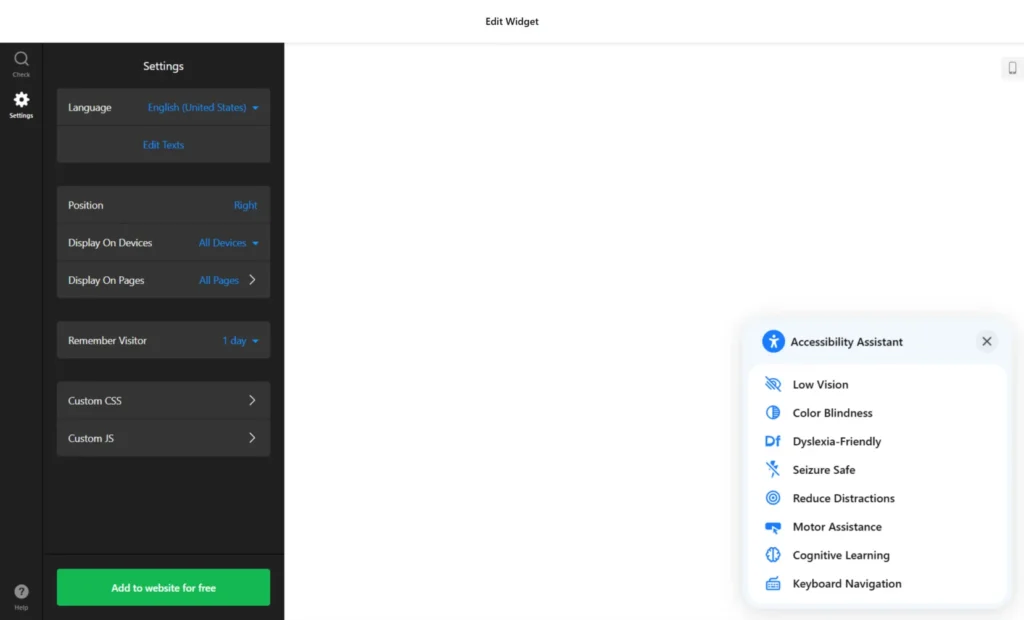
The Accessibility Toolbar shifts control directly to your end-users, which is a key principle of inclusive design. It provides a non-invasive, customizable overlay that allows visitors to adjust things like text size, switch to high-contrast mode, or utilize a reading mask. This is an excellent addition because it empowers the visitor to tailor the website experience to their unique needs without changing the underlying code. It’s free and easy to configure (WPDeveloper).
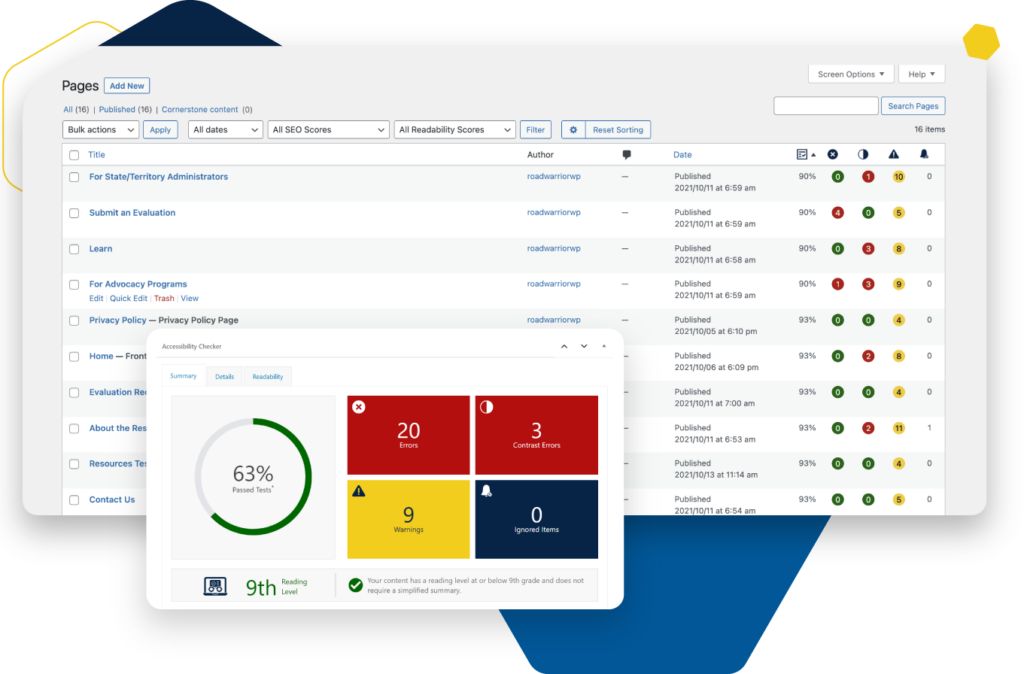
3. Accessibility Checker
Built primarily for content editors, this plugin is essential for maintaining accessibility standards as you publish. It operates directly within the WordPress post editor, providing an on-page audit that flags issues like insufficient color contrast, missing headings, or poor link text before you hit publish. This proactive approach prevents errors from stacking up and includes a historical audit view for long-term standards maintenance (Equalize Digital).
4. Website Accessibility Audit Checker
For serious compliance efforts and deep analysis, this plugin delivers robust, site-wide scans. It generates detailed reports across every page, helping you identify and fix complex WCAG 2.x and ADA issues at scale. This tool is especially valuable for large sites or organizations that require documented proof of their efforts, offering actionable insights for development teams (accessibe.com).
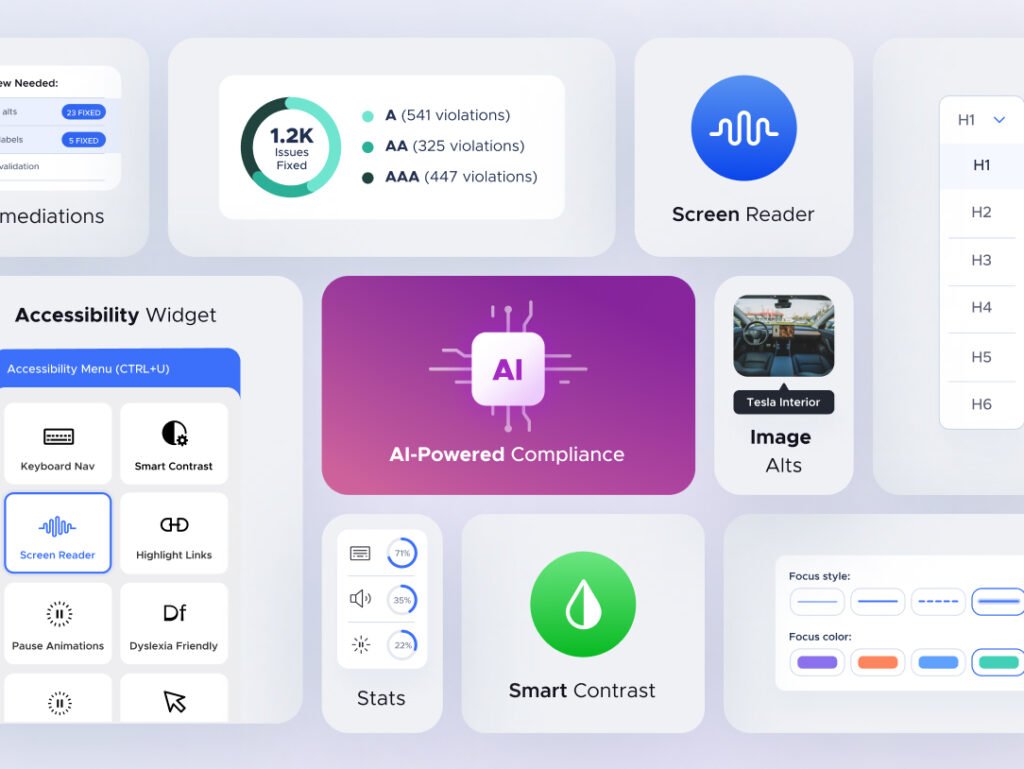
5. UserWay Accessibility Widget
The UserWay widget is a popular choice for achieving quick compliance. It offers various “invisible” overlays and features like text resizing, keyboard navigation enhancements, and screen reader adjustments. While it can provide a quick layer of compliance protection against lawsuits, be mindful of potential clutter in your administrative user interface (WordPress.org).
6. One-Click Accessibility
Exactly what it sounds like—simple and fast. Adds skip links, improved focus outlines, and alt text highlighting with minimal effort.
(Elfsight)
How to Choose the Right WordPress Accessibility Tool
Choosing the right combination of tools depends on your specific resources and goals. Think of it as a spectrum of effort versus compliance:
| Need | Try This Plugin |
| Quick compliance with no fuss | WP Accessibility / One-Click Accessibility |
| Customizable toolbar for users | Accessibility Toolbar / UserWay |
| Inline content auditing during edits | Accessibility Checker |
| Deep site-wide audit & admin reports | Website Accessibility Audit Checker |
| Comprehensive, all-in-one solution | A combination of the above tools |
Final Thoughts
By choosing the right plugins, you’re not just ticking a box—you’re achieving true WordPress accessibility, making your site usable for everyone..
Start with one or two, monitor your CMS audit dashboard, and scale up based on your content strategy.
Let me know if you’d like help:
- integrating these tools into your site
- crafting an “Accessibility Implementation” tutorial
- preparing content to hit WCAG AA standards
This is the next step for building a modern, inclusive website in 2025!

